Forms

Turn paper processes into simple mobile conversations

Create employee forms, send them by SMS or web link, collect structured responses on mobile, and see exactly who has opened, responded, or still needs follow-up.

Mobile-firstSMS & web linksOpen / response tracking
An employee reading a Frekyl form on their phone, the Forms dashboard with sent, open, replied and pending counts, and a manager reviewing the Safety Incident responses list
Paper to mobile

The form was never the problem. Chasing it was.

A clipboard by the door only works if someone walks past it, fills it in, and hands it back.

01
Printed and pinned up
The form exists on a clipboard by the door, or in a folder nobody opens.
02
Filled in when someone remembers
Hours after the thing it describes actually happened, if at all.
03
Left somewhere to be collected
A tray, a supervisor’s desk, the cab of a truck.
04
Typed up by hand
Someone re-keys it into a spreadsheet, and the handwriting is a guess.
05
Nobody knows who is missing
You have the ones that came back. The gap is invisible.
Form Builder

Build the workflow without rebuilding the process

Name the form, write the message that carries it, and arrange the questions. The live preview shows exactly what the employee will open.
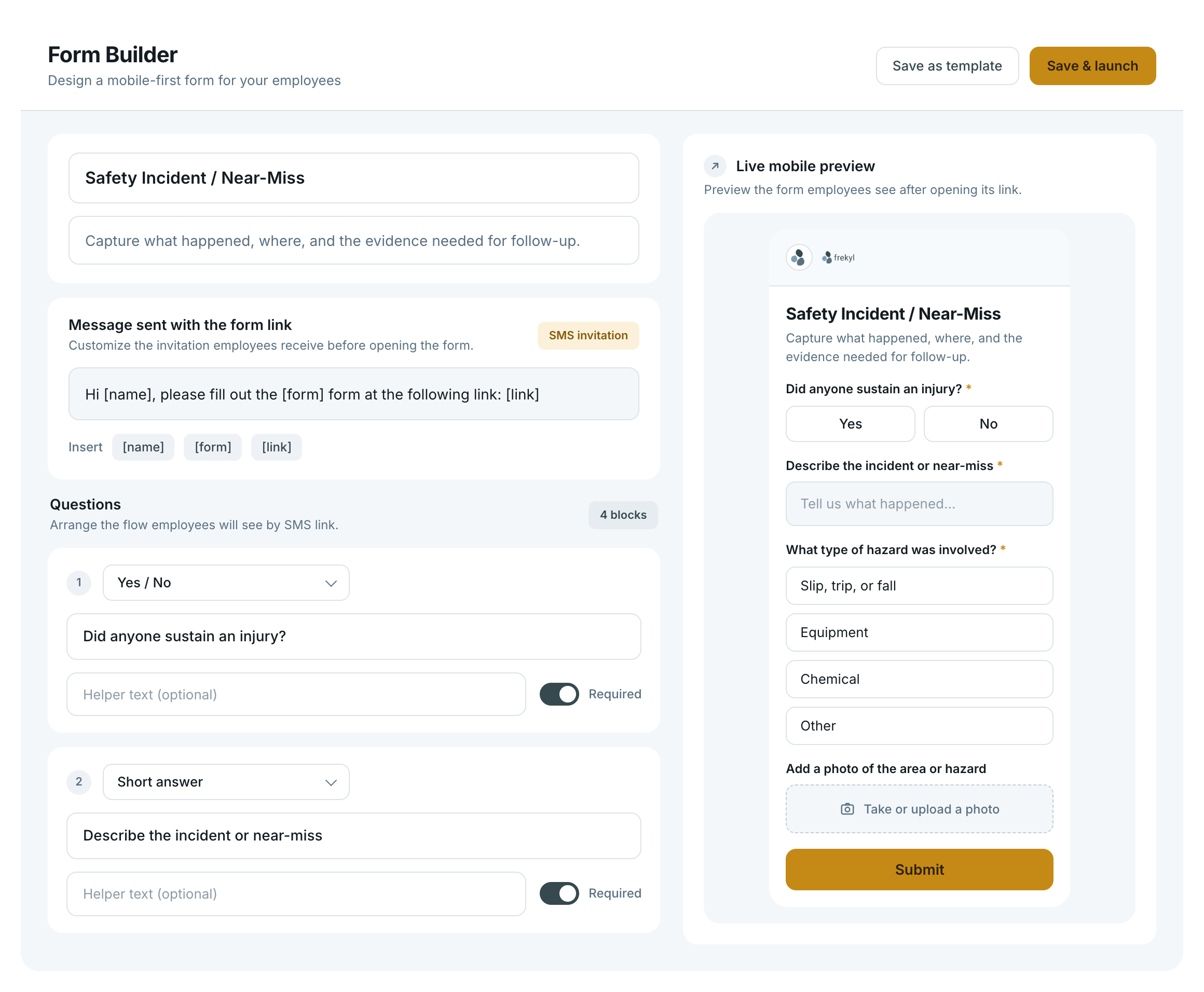
The Frekyl Form Builder — form name, the SMS invitation message with name, form and link tokens, question blocks with required toggles, and a live mobile preview
Question types
Yes / No
Short answer
Multiple choice
Emoji scale
Thumbs
Photo upload
Document acknowledgement
Also in the builder
The SMS invitation
Write the message that carries the link, with name, form and link tokens.
Required fields
Toggle any question so the form cannot be submitted without it.
Save as template
Keep a form you run regularly and launch it again without rebuilding.
Import with AI

Already have the form? Start there.

Upload a PDF or Word document, or paste the text from an existing paper form. Frekyl turns it into an editable mobile draft.
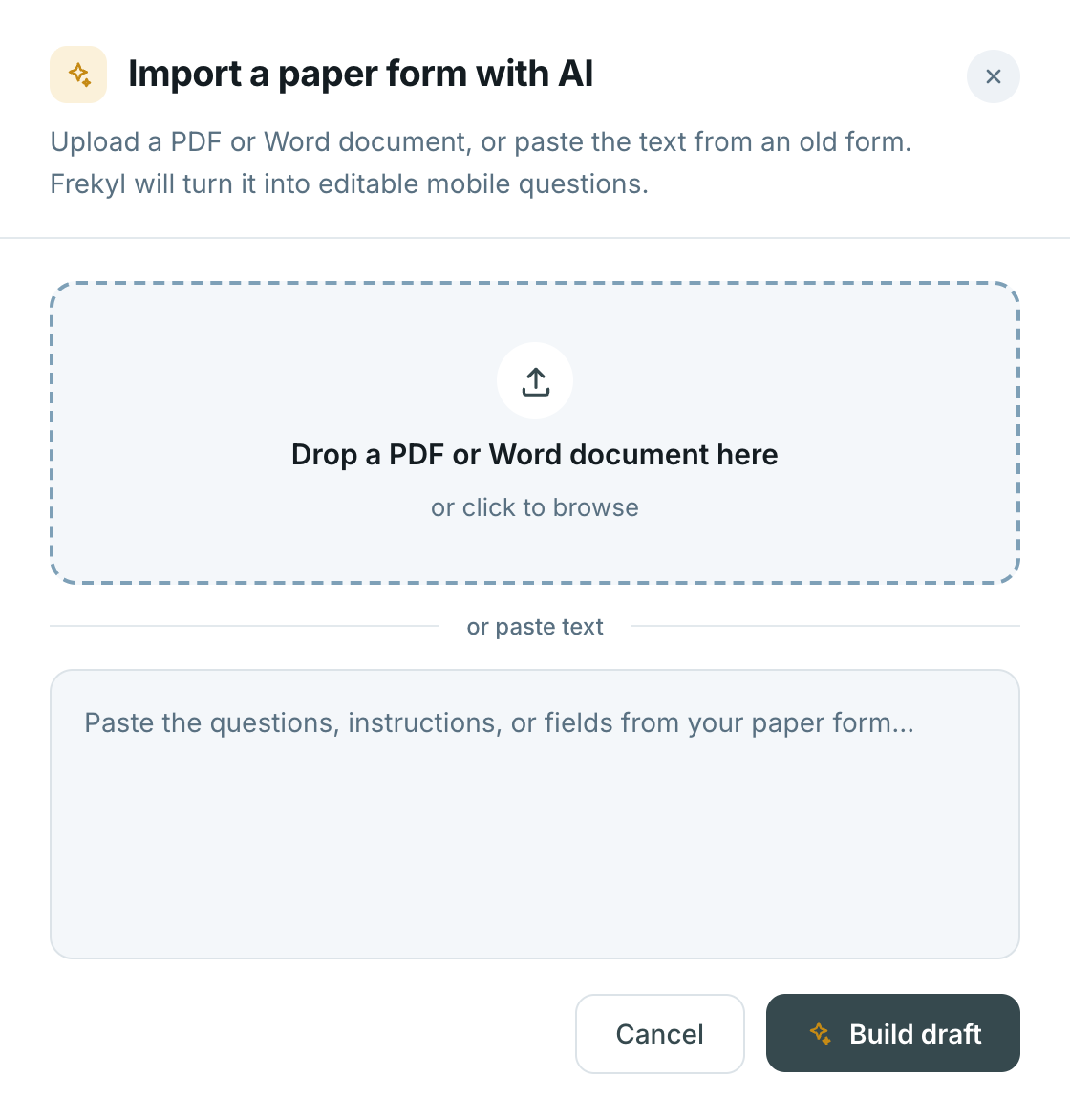
Import creates a draft. Review and edit the questions before you launch it.
The Import a paper form with AI dialog — drop a PDF or Word document, or paste the text from an old form, and Frekyl turns it into editable mobile questions
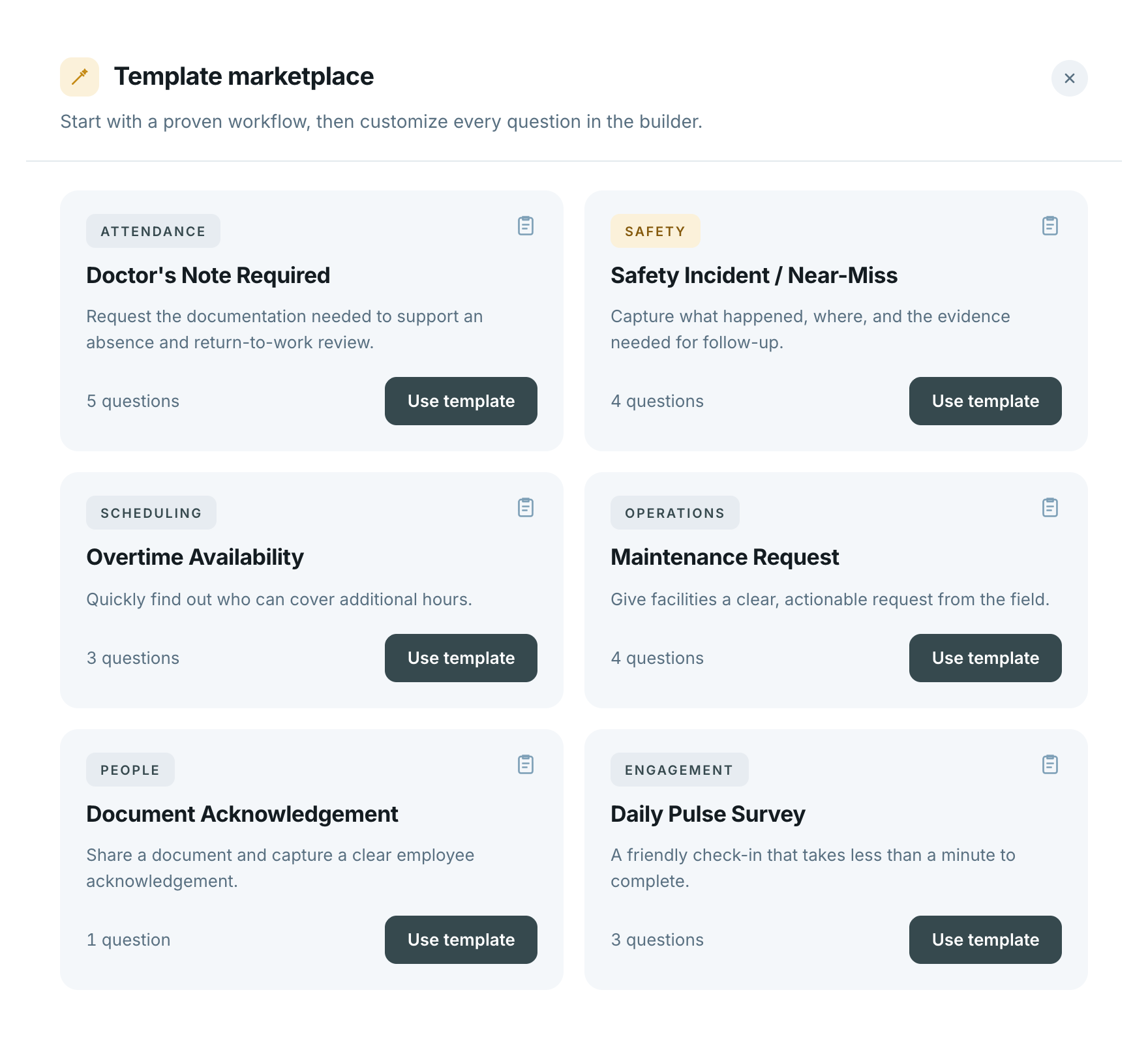
The Frekyl template marketplace — Doctor's Note Required, Safety Incident / Near-Miss, Overtime Availability, Maintenance Request, Document Acknowledgement and Daily Pulse Survey templates, each with a question count and a use template action
Template marketplace

Or start with a form someone has already built

Start with a proven workflow, then customize every question in the builder. Nothing is locked — a template is a starting point, not a fixed form.
AttendanceSafetySchedulingOperationsPeopleEngagement
Save any form you run regularly as your own template, and launch it again without rebuilding it.
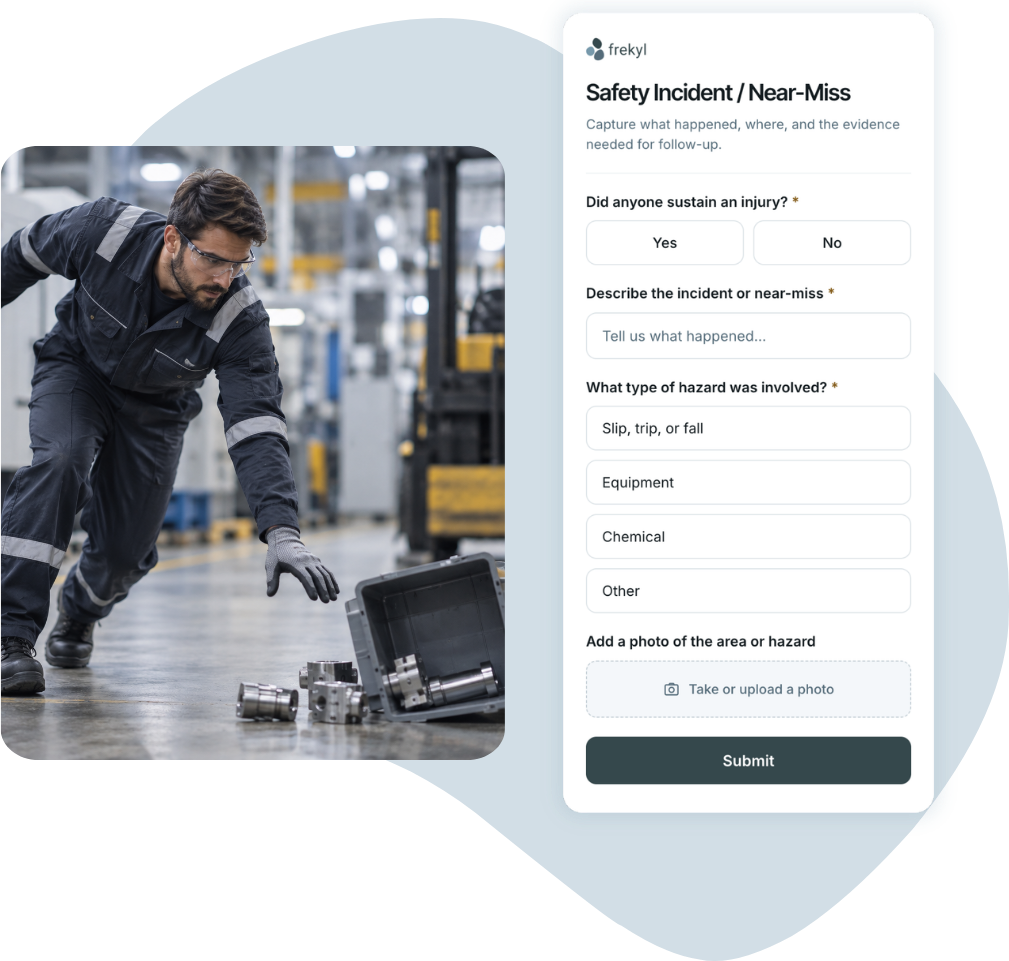
An operator on the plant floor beside dropped equipment, and the Safety Incident form open on a phone with yes/no, short answer, multiple choice and photo upload
Getting it to them

Send the form by SMS 

Employees get a direct SMS invitation with the link. They complete it on the phone they already carry — no separate app.

A direct SMS invitation carrying the form link
Acknowledgement captured
Completed on mobile, with no app to install
Tracking

Know who opened it, who responded, and who still needs follow-up

Every form carries its own counts, and every response is tied to the employee who sent it.
Policy acknowledgement
Sample
32Sent
The form went out to the people you selected.
28Open
− 4 never opened
They opened the link. Not the same as answering it.
23Replied
− 5 opened, no answer
A completed response is sitting in the form.
9Pending
the follow-up list
Still outstanding — the names worth chasing.
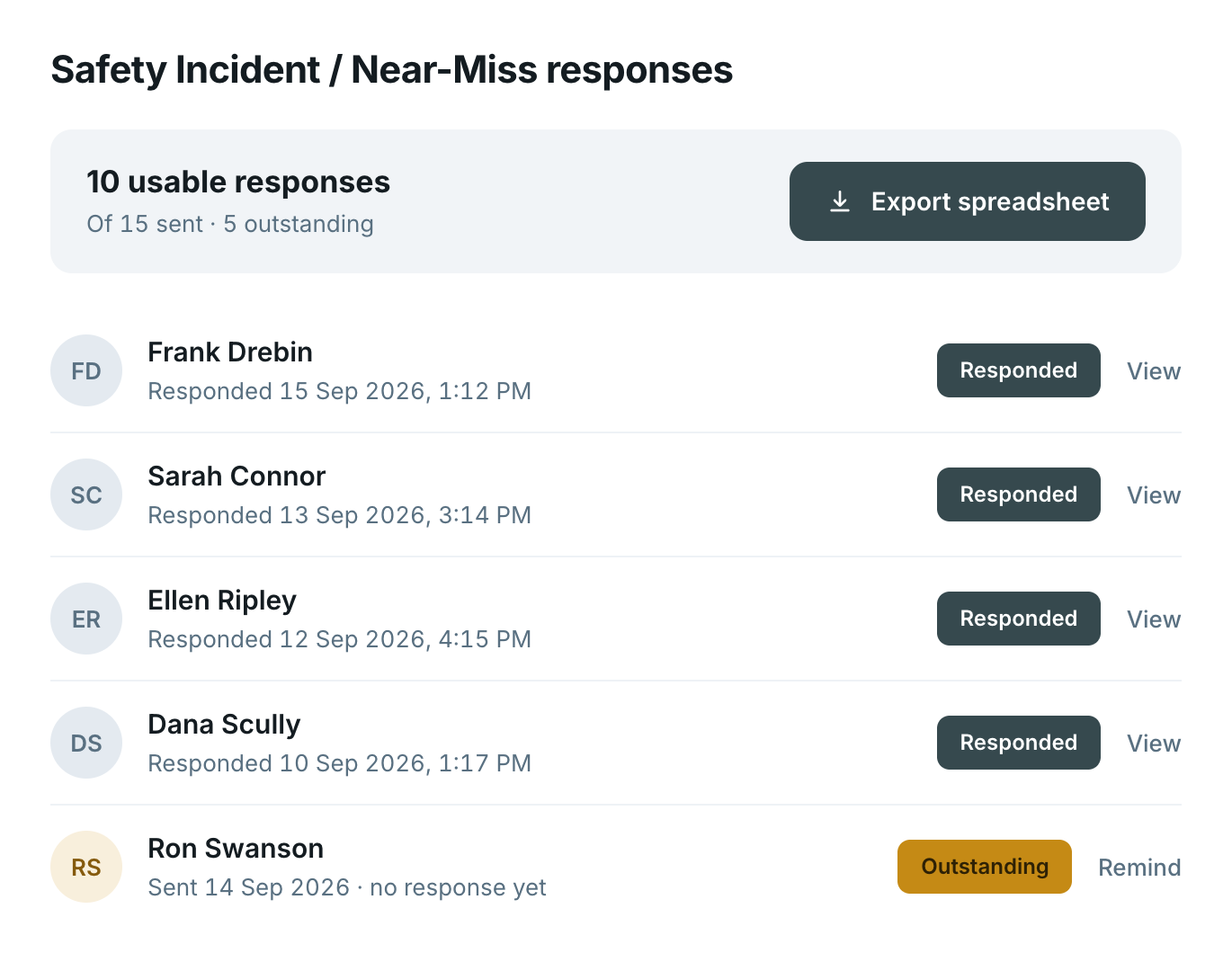
The Safety Incident responses view — 10 usable responses of 15 sent with 5 outstanding, named respondents with timestamps, and an export spreadsheet action
Responses

Structured, timestamped, exportable

Each response is tied to the employee who submitted it and the moment they did. Review them in Frekyl, or export the set as a spreadsheet.

Tied to the employee
Timestamped on submit
Individual response history
Spreadsheet export
Policy & document acknowledgement

No more guessing who signed off

Distribute the document, ask for an explicit acknowledgement, and keep the record of who gave it and when.

1
Send the document
By SMS invitation or a shared web link, to the people it applies to.
2
Ask for the acknowledgement
The employee reviews it and confirms explicitly through the form.
3
Watch it come back
Opened, acknowledged, or still outstanding — per person, in one view.
4
Keep the record
A timestamped response history you can review or export later.
Connected workflow

When an absence needs paperwork back

A reported absence can trigger the form it requires — a doctor’s note request, an attendance policy acknowledgement — without anyone remembering to send it.

Absence Reporting
The absence is reported
By text or automated call. The reason code and dates land as a structured record.
Your rule
It meets a condition you set
A third day out, a particular reason code, a return after long-term leave.
Forms
The right form sends itself
A doctor’s note request or an attendance policy acknowledgement, straight to that employee.
Manager
The paperwork comes back tracked
Responded or outstanding, timestamped — no one chasing a signature by email.
Integrations

Works alongside your workforce systems

Frekyl runs standalone. Where integrated, workforce and absence data can flow between Frekyl and existing HR and workforce systems.

Explore integrations→

Workday, UKG, SAP, Dayforce, Microsoft Dynamics 365, Oracle and other workforce systems connecting with Frekyl
Questions

Forms FAQs

How are Frekyl Forms sent to employees?

By SMS invitation carrying the form link. The employee opens it on their phone and completes it there.

Do employees need an app?

No. The form opens in the phone’s browser from the link. There is nothing to install and no account to create.

Can Forms be used for policy acknowledgements?

Yes. Share the policy or document, ask the employee to review it, and collect an explicit acknowledgement through the form. Frekyl records it with a timestamp and keeps the response history.

Can Forms track who opened or responded?

Yes. Each form carries sent, open, replied and pending counts, so you can see how far a form has actually travelled rather than assuming.

Can managers see who is still outstanding?

Yes. The response view lists respondents individually, with anyone who has not answered marked as outstanding.

Can managers send reminders?

Yes. Outstanding employees can be sent a reminder directly from the response view.

Can responses be exported?

Yes. A form’s responses can be exported as a spreadsheet from the response view.

Can employees upload photos?

Yes. A photo upload question lets the employee take or attach a photo — useful for incident and near-miss reporting.

Can we turn an existing paper form into a Frekyl Form?

Yes. Upload a PDF or Word document, or paste the text, and Import with AI creates an editable draft. Review and adjust the questions before launching it.

Can Forms follow a Broadcast Notification?

Yes, where configured. Broadcast handles the outbound message and a follow-up form collects the structured response — a safety check-in after a storm, for example.

Forms

Put the clipboard down

See how Frekyl turns an existing paper process into a mobile form your workforce will actually complete — and a record you can track.

What we'll walk through
Importing one of your existing paper forms
Sending it by SMS and completing it on mobile
The response view, reminders and export